 Imago Printer
Imago Printer
Imago Printer
Choosing software for a digital ribbon printer is rarely as simple as picking the most popular name. The right program must connect creative design with accurate production. It should handle narrow ribbon templates, repeat patterns, color control, and high-resolution output without creating unnecessary steps. What software is needed for digital ribbon printers depends on your printer model, ink system, artwork format, and daily workload. That answer deserves careful testing.
A small workshop may need flexible design software, reliable RIP control, and simple color management. A larger supplier may require nesting tools, barcode support, job presets, and production tracking. Programs such as Adobe Illustrator, CorelDRAW, Canva Pro, CADlink Digital Factory, and manufacturer-specific RIP software can serve different needs. However, features listed on a product page do not always match real production conditions. A beautiful interface may still slow down ribbon repeats. A powerful RIP may feel complicated for occasional users.
This guide examines seven software options through practical criteria, including compatibility, learning time, print accuracy, file handling, and ongoing cost. It also considers how each tool performs with satin ribbon, polyester ribbon, and small text. Expect clear strengths and limitations. No software wins every test. In practice, trial files, color samples, and printer support often reveal more than advertising claims. Check the details. Your workflow matters most.
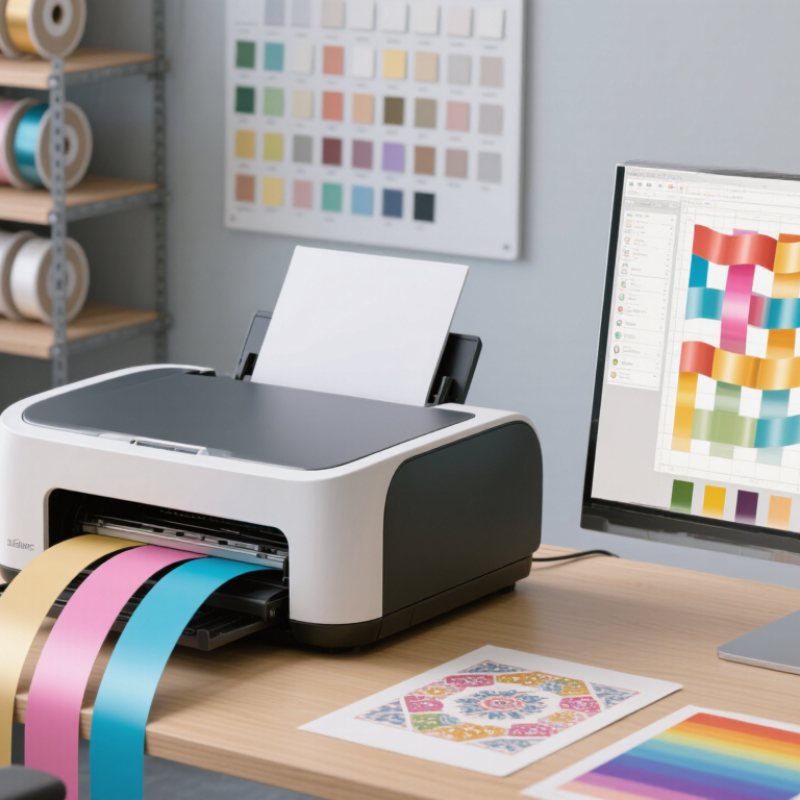
7 Best Software for Digital Ribbon Printers?
Digital ribbon printing uses thermal transfer technology. A heated printhead transfers ink from a coated ribbon onto fabric, film, or another suitable surface. Unlike direct printing, the ribbon controls how color reaches the material. This process supports sharp text, durable graphics, and variable designs. CMYK printing combines cyan, magenta, yellow, and black inks. Some software also supports spot colors, but CMYK results can shift across different ribbon materials. That detail is easy to underestimate.
When comparing software, examine its RIP engine, color management, and variable-data tools. A reliable program should preview separations, control print density, and preserve small lettering. Resolution usually ranges from 300 to 1,200 dpi. Higher dpi can improve fine edges, but it may slow production and expose material defects. More detail is not always better. I have seen attractive test files fail because the ribbon tension, heat, or substrate was poorly calibrated. Good software cannot fully correct mechanical errors.
Tips: Create a small test strip before every new material. Check black density, registration, and tiny text under real lighting. Use an approved color profile when available. Keep a record of heat settings and print speed. If gradients look banded, reduce the artwork size or adjust screening. A simple file often prints more consistently than a complicated one. Calibration takes time. It also prevents expensive reprints.
| Software Category | Primary Role | Key Digital Ribbon Printing Functions | Color and File Support | Typical Resolution Workflow | Best Use Case | Overall Suitability |
|---|---|---|---|---|---|---|
| Vector Design Software | Create logos, lettering, repeat patterns, and scalable artwork. | Precise paths, spot-color separation, text conversion to outlines, repeat-pattern construction, and accurate sizing for narrow ribbons. | CMYK, spot colors, RGB, PDF, SVG, EPS, and AI-compatible vector formats. | Artwork is normally created as vector data and rasterized by the print workflow at approximately 300–1,200 dpi. | Sharp logos, geometric patterns, small text, and artwork that must remain clean at different ribbon widths. | ★★★★★ |
| Raster Image Editor | Prepare photographs, textured graphics, gradients, and bitmap artwork. | Image retouching, background removal, masking, color correction, sharpening, and conversion to the printer's required color profile. | CMYK, RGB, grayscale, TIFF, PSD, JPEG, PNG, and high-bit-depth image workflows. | Images should be prepared at the intended print size; 300 dpi is common, while higher values may be used for very fine details. | Photographic ribbons, tonal gradients, detailed illustrations, and mixed vector-raster designs. | ★★★★☆ |
| RIP and Print-Queue Software | Convert artwork into printer-ready data and manage production output. | Raster image processing, nesting, tiling, mirroring, color management, linearization, media profiles, job queuing, and repeat printing. | Commonly accepts PDF, TIFF, PNG, JPEG, and device-specific print files; supports CMYK and profile-based color conversion. | May drive output from approximately 300 dpi to 1,200 dpi, depending on printer hardware, ink or ribbon material, and production mode. | Production environments that need consistent color, repeatable jobs, and efficient queue management. | ★★★★★ |
| Color Management Utility | Control color consistency across artwork, printer, ribbon substrate, and transfer media. | ICC profile assignment, CMYK conversion, rendering-intent selection, calibration targets, ink-limit control, and gray-balance adjustment. | CMYK, RGB, Lab, ICC profiles, spot-color libraries, and device-specific media profiles. | Resolution does not determine color accuracy; calibration and profiling remain important at both 300 dpi and 1,200 dpi. | Repeat orders, brand-color matching, and production using different ribbon materials or transfer films. | ★★★★★ |
| Thermal Transfer Workflow Software | Prepare artwork and settings for heat-based transfer onto ribbon materials. | Mirror-image output, transfer-temperature notes, dwell-time documentation, substrate selection, repeat length, and job presets. | Usually works with vector and raster files; may use CMYK transfer layers or specialized transfer-color channels. | Software resolution settings must match the thermal transfer printer; common production ranges are approximately 300–600 dpi, with some systems supporting higher values. | Polyester, satin, grosgrain, nylon, and other ribbon substrates printed through a thermal transfer process. | ★★★★★ |
| Variable-Data Print Software | Automate individualized names, numbers, barcodes, QR codes, and sequential designs. | Database linking, serial numbering, barcode generation, text substitution, record previews, and automated file production. | CSV, XLSX, XML, PDF, SVG, and common barcode formats; supports CMYK artwork with variable text or graphics. | Variable elements are rendered at the selected output resolution, commonly between 300 and 1,200 dpi. | Event ribbons, identification labels, award ribbons, promotional runs, and serialized products. | ★★★★☆ |
| Layout and Preflight Software | Arrange multiple ribbon designs and check files before production. | Imposition, bleed and margin checks, font embedding, overprint preview, transparency inspection, barcode verification, and export validation. | PDF/X, PDF, EPS, SVG, TIFF, and common raster formats; supports CMYK and spot-color inspection. | Preflight checks the document independently of final printer resolution; the RIP determines the final 300–1,200 dpi output. | Reducing setup waste, checking customer files, arranging repeat patterns, and preparing multi-design production sheets. | ★★★★☆ |
ICC profiles help maintain color consistency across satin, polyester, and coated materials. Test red logos, fine gold text, and skin tones. Small shifts can become obvious.
Use your own files during a live trial. Print test strips under controlled lighting. Compare measured patches with approved references, not screen colors alone.
It should prioritize urgent jobs, pause failed files, and display accurate spool status. Check recovery after a power interruption. That detail is easy to miss.
They should manage names, numbers, barcodes, and repeated patterns without alignment shifts. Print ten repeated ribbons, not one sample. Inspect spacing at both edges.
Preflight should detect missing fonts, transparency problems, incorrect bleed, and embedded profile errors. Check trapping and overprint controls too. Ribbon edges expose mistakes quickly.
Record calibration data and compare printed targets with approved references. Date every file and store operator notes. This creates useful traceability.
Use checks for edge contrast, modulation, defects, and decodability. Test samples from the beginning, middle, and end of a roll. A single successful scan proves little.
Include an experienced operator and a color specialist. Their opinions may conflict, but that can reveal hidden workflow limits. A clean interface can still conceal expensive problems.
Choosing the right software is essential for achieving reliable results with digital ribbon printers. This guide explains digital ribbon printing through thermal transfer technology, CMYK color handling, and resolutions ranging from 300 to 1,200 dpi. It also answers the practical question, “What software is needed for digital ribbon printers?” by outlining the main capabilities to evaluate, including ICC color profiles, RIP queue management, variable-data personalization, and PDF/X support.
The comparison examines seven software options according to workflow efficiency, pricing structure, ease of use, and compatibility with different printer configurations. It also highlights the importance of verifying output with ISO 12647-2 color standards and ISO/IEC 15416 barcode testing. By connecting software features to production goals, the guide helps users select an appropriate solution for short-run customized ribbons, repeat orders, or high-volume manufacturing. The focus is on accurate color, dependable data handling, consistent print quality, and a workflow that can scale as business requirements change.
