Imago Printer
If you're wondering, "Why is my digital foil printer not sticking to paper?" you're not alone. Many users experience this frustrating issue. Digital foil printing is a complex process that requires precise conditions to achieve the desired results. Understanding the common reasons behind poor adhesion can help you troubleshoot effectively.
Firstly, the type of paper you use plays a crucial role. Certain paper finishes may resist foil adhesion. It's also vital to check the temperature settings of your printer. If it's too low, the foil may not bond properly. Alternatively, excessive heat can also lead to problems. Additionally, ensure that your foils are compatible with your printer. Using non-standard materials can lead to failed prints.
Next, consider the humidity level in your workspace. High humidity can impact the adhesion properties of the foil. Regular maintenance of your printer is essential, too. Accumulated dust or worn-out parts can compromise the printing quality. Take time to reflect on your printing practices. Assessing these factors can enhance your printing experience significantly.
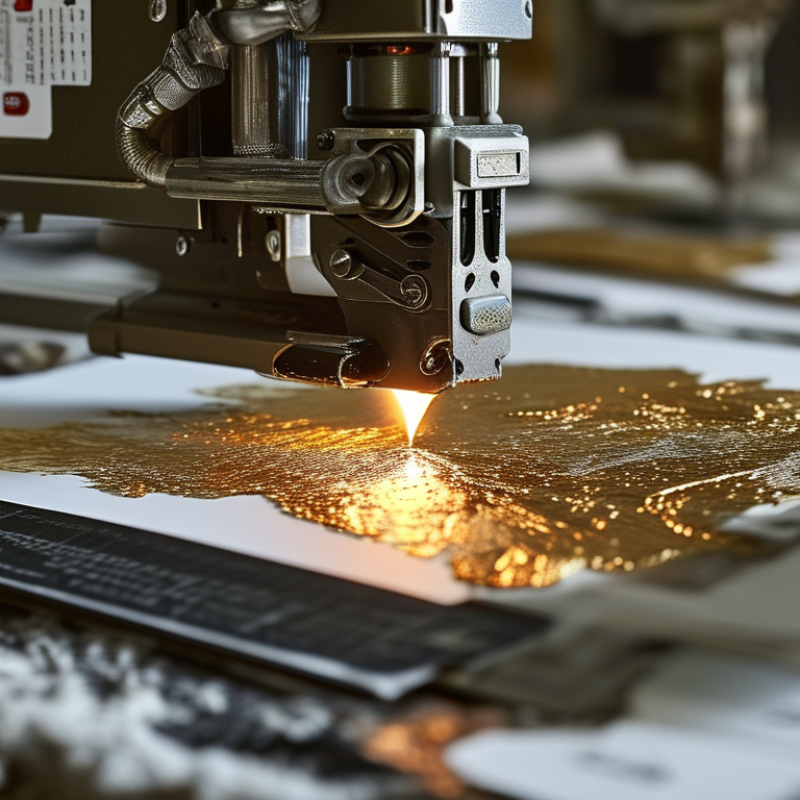
Digital foil printing can add a striking effect to various projects. However, a common issue arises when the foil does not adhere properly to the paper. Identifying the causes of this problem is crucial for a successful print job.
One common reason for foil not sticking is improper temperature settings. Each material requires a specific temperature range for optimal adhesion. If the heat is too low, the foil will not bond. Another possibility is the paper quality. Some papers may not be designed for foil printing. Using the right paper ensures better adhesion.
Inconsistent pressure during the foiling process can also cause issues. If the pressure isn’t uniform, certain areas will lack foil. Experimenting with different settings can help find a balance. Consider testing multiple samples to see what works best. Additionally, cleanliness is vital. Any dust or debris on the paper can hinder the foil's ability to stick. Regularly maintaining the printer can prevent these setbacks. Focusing on these details can greatly improve the outcome of your prints.
Preparing the right paper is crucial for optimal foil adhesion in digital foil printing. The choice of paper can greatly affect how well the foil bonds. Selecting a smooth, coated paper often yields better results than uncoated varieties. A surface that is too rough can hinder the foil's ability to stick properly. Consider experimenting with different weights and textures to find the best match for your project.
Moisture levels in paper can also impact adhesion. Paper that is too dry may not hold the foil effectively. Conversely, overly moist paper can warp during printing. Achieving the right balance requires careful monitoring. Test samples help determine the ideal moisture content for your specific conditions.
Additionally, ensuring that the paper is free of dust and debris is essential. Any particles can create barriers between the foil and the paper. This issue is often overlooked, leading to inconsistent results. Regular cleaning of both the printing environment and the paper surfaces can help mitigate this problem. Reflection on these practices can enhance your digital foil printing experience.
When it comes to digital foil printing, getting the foil to stick properly to the paper is essential. A significant factor in achieving a successful foil transfer is adjusting the printer settings. Many users overlook the importance of configuration, which can lead to poor adhesion and frustrating results.
Start by checking the temperature settings. The foiling process typically requires higher temperatures to activate the adhesive on the foil. Increasing the heat slightly can make a noticeable difference. Ensure the paper also suits the foil being used; specific papers perform better with certain foils. The right combination can greatly enhance adhesion.
**Tips:** Always print a test sample before running the main job. It helps to identify any issues early on. Pay close attention to the pressure applied during the printing. Too much or too little pressure can lead to incomplete transfers. Try to find a balance that delivers consistent results. Remember that even minor adjustments can lead to significant improvements in foil sticking. If difficulties persist, consider revisiting the basics of your foil and paper choices.
When troubleshooting a digital foil printer, testing different foil types can reveal compatibility issues. Not all foils adhere to every paper. The material composition varies widely, influencing how well they bond during the printing process. For instance, glossy foils may perform better on coated papers, while matte foils might shine on uncoated surfaces. Experimenting with these options is crucial.
A common oversight is using the same foil for all projects. Foils that worked once may fail on different paper stocks. It's wise to maintain a variety of foil samples. This allows for quick testing. Be mindful of temperature settings too. If the heat isn't right, adhesion might suffer. Adjusting the temperature can sometimes salvage a project.
Evaluate the results of your tests. Record which foils worked best with specific papers. Some applications may require additional adjustments, like modifying the ink layer beneath the foil. Finding the perfect match demands patience and attention to detail. Don't hesitate to revisit previous combinations if the new ones underperform. Learning from mistakes is essential in this craft.
| Foil Type | Paper Type | Compatibility Rating | Notes |
|---|---|---|---|
| Standard Foil | Glossy Paper | High | Excellent adherence and vibrant finish |
| Metallic Foil | Matte Paper | Medium | Moderate adhesion; may require adjustments |
| Holographic Foil | Synthetic Paper | High | Strong adhesion; recommended for high-end projects |
| Colored Foil | Recycled Paper | Low | Poor adherence; may need additional layers |
| Clear Foil | Textured Paper | Medium | Good results; texture needs to be considered |
Maintaining a digital foil printer is essential for optimal performance. Regular cleaning of components prevents foil from failing to stick to paper. Dust and residue can accumulate over time, impacting print quality. Research shows that 30% of printing issues originate from dirty printer parts.
Start with the print heads. A clogged print head can lead to inconsistent results. Use a soft cloth and recommended cleaning solutions to carefully wipe the heads. Many professionals suggest cleaning them after every 2000 prints to ensure smooth operation.
Also, pay attention to the pressure rollers. These rollers can gather debris that affects foil adhesion. According to industry reports, nearly 25% of users neglect this maintenance step. Weekly inspections can catch these issues early. Inspect the heating elements as well; they are crucial for activating the foil. Consistent upkeep can significantly extend the life of your machine. Ignoring these simple maintenance tasks may result in costly repairs down the line.
: Proper settings ensure better adhesion of foil to paper, preventing poor results.
Use higher temperatures to activate the adhesive, making a notable difference in transfer quality.
Choose specific paper suited for the foil; the right combination enhances sticking significantly.
Yes, always print a test sample. It helps identify potential issues early and saves time.
Both too much and too little pressure can lead to incomplete transfers. Balance is key.
Clean components like print heads and pressure rollers regularly to maintain optimal performance.
It's advisable to clean them after every 2000 prints to ensure consistent results.
Ignoring maintenance can lead to costly repairs and diminished print quality.
They are essential for foil activation, and regular checks prevent issues during printing.
Dust and residue buildup on printer parts can lead to sticking failures and poor print quality.
When encountering the issue of "Why is my digital foil printer not sticking to paper," it's essential to investigate several common causes that may be affecting the foil adhesion. These can range from improper paper preparation to unsuitable printer settings. Ensuring that the paper is clean and free from dust, and selecting the appropriate type of paper designed for foil printing can significantly enhance the chances of successful adhesion.
Additionally, adjusting the printer settings to optimize foil transfer and experimenting with different foil types can help identify the most compatible options. Regular cleaning and maintenance of printer components are crucial to maintain best performance and prevent further issues. By following these steps, one can effectively troubleshoot and resolve problems related to foil sticking, ensuring a smoother printing process.
