Imago Printer Imago Printer

7 Tips to Stop Printed ID Cards Fading Over Time?

Time:2026-10-14 Author:Henry
0%

Printed ID cards often look sharp on day one, then slowly lose their color after months of daily use. A staff badge may sit near a sunny office window, rub against a wallet, or face sweat and heat during long shifts. These small pressures can turn dark photographs gray and make fine text difficult to read.

Why do printed ID cards fade over time? The answer usually involves ultraviolet light, surface friction, moisture, heat, and unsuitable printing materials. Dye-based images can weaken under sunlight, while poor lamination may leave the printed surface exposed. Even careful teams sometimes overlook storage conditions or use cleaning products that damage the card coating.

This guide shares seven practical ways to slow that decline. The recommendations reflect common card-printing experience and established maintenance practices, including selecting suitable materials, checking printer settings, and protecting cards after printing. A durable result depends on more than the printer alone. The card stock, ribbon, handling routine, and storage area all matter.

Small changes help.

For example, keeping unused cards in a cool, dark cabinet can reduce unnecessary UV exposure. A clear protective overlay may also preserve photographs and color blocks during repeated handling. However, no method prevents fading forever. That expectation is worth questioning. Regular inspection remains important, especially when cards are used outdoors or in busy workplaces. By noticing pale colors, scratches, or lifting edges early, organizations can improve their process before card quality becomes a practical problem.
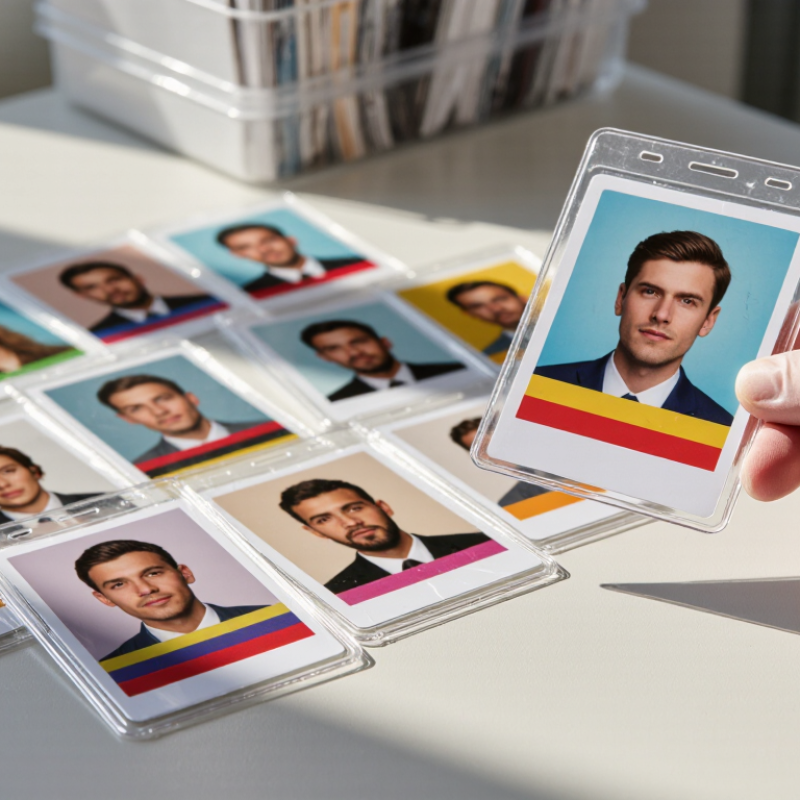
7 Tips to Stop Printed ID Cards Fading Over Time?

Identify the Main Causes of Printed ID Card Fading

Printed ID cards rarely fade for one reason. Daily sunlight is often the quietest culprit. Ultraviolet exposure breaks down color layers, especially near windows, dashboards, or outdoor work areas. Heat speeds this damage. Cards kept in hot vehicles may lose contrast faster than cards stored indoors. Moisture, sweat, and hand oils can also weaken the printed surface. Repeated rubbing against wallets, clips, or lanyards creates tiny scratches that gradually make images look dull.

Fading can also begin during production. Incorrect color settings may produce weak tones before the card enters service. Insufficient curing can leave the print less resistant to handling and cleaning. A thin or poorly bonded protective layer offers limited defense against light, friction, and moisture. Even a clean-looking card can have weak protection. That detail is easy to miss. Storage conditions matter too. Stacked cards may press against rough edges, while uncovered cards collect dust that acts like fine sandpaper.

In practical inspections, the pattern of fading offers useful clues. Pale edges often suggest abrasion, while broad color loss may indicate ultraviolet exposure. Sticky marks can point to chemical contact from cleaners or workplace products. One assumption deserves questioning: darker ink does not always fade first. The material, print method, and protective finish influence the result. Honest inspection is important, because a printer setting may be blamed when storage or daily handling caused the damage.

7 Tips to Stop Printed ID Cards Fading Over Time

Identify the main causes of printed ID card fading and reduce exposure before visible color loss occurs.

Ultraviolet light is usually the most significant environmental cause of fading because it breaks down colorants and printing layers. Heat, friction, cleaning chemicals, moisture, and poor storage can accelerate the same process. Store cards in protective sleeves, keep them away from direct sunlight and heat, avoid harsh solvents, handle them by the edges, and use durable overlays or laminate protection where appropriate.

The chart uses a qualitative relative-risk index from 1 to 10. Actual fading depends on the card material, ink or ribbon, exposure time, temperature, humidity, and handling conditions.

Choose Durable Card Materials and Fade-Resistant Printing Methods

Printed ID cards fade when sunlight, heat, moisture, and friction weaken their color layers. Material selection often matters more than visual design. Choose solid PVC for standard indoor cards. Use polycarbonate for badges that face bending and frequent handling. Composite materials can provide a practical balance between flexibility and cost. Ask for durability test results, not vague promises. Inspect the card edges, too. Peeling often begins there.

Choose dye-sublimation or retransfer printing when photos and text must stay sharp. These methods protect color better than basic surface printing. For outdoor cards, request UV-resistant inks and a clear protective overlay. The overlay should cover the photo, text, and barcode evenly. Test a small batch before approving full production. We once selected attractive colors that became dull near a bright window. That mistake was avoidable.

Store unused cards in sealed, opaque packaging away from heat and sunlight. Keep finished cards away from rough metal edges inside wallets or holders. Clean them with a soft, damp cloth. Strong solvents may damage protective layers. Record the material, printing settings, and exposure-test results for every batch. Do not rely on memory. Review sample cards after several months. Even durable cards have limits. Constant sunlight, sweat, and abrasion will shorten their service life.

Protect ID Cards from Sunlight, Heat, Moisture, and Chemicals

Printed ID cards often fade because sunlight, heat, moisture, and chemicals slowly damage their surface and colors. A card left beside a sunny window may lose sharp details within months. Tip 1: Store cards away from direct sunlight. Tip 2: Use a protective sleeve with UV resistance. Clear plastic helps, but not every sleeve blocks ultraviolet light.

Tip 3: Keep cards away from hot vehicles, radiators, and dashboard areas. High temperatures can soften surfaces and affect printed layers. Tip 4: Protect cards from moisture. Store them in a dry wallet, and wipe away water quickly. Tip 5: Never clean a card with alcohol, solvent, or strong detergent. A slightly damp microfiber cloth is safer. Avoid harsh rubbing.

In daily handling, skin oils and dust can slowly dull printed details. Tip 6: Hold cards by their edges when possible, especially during inspections or routine use. Tip 7: Check cards regularly for fading, peeling, or clouded surfaces. Early replacement may prevent identification problems. In my experience, careful storage makes a noticeable difference, but it cannot stop aging completely. Some materials still fade sooner than expected, so testing one card under local conditions is sensible. Even good habits need review.

Store and Handle Printed ID Cards Without Causing Surface Damage

Printed ID cards can fade faster when they face heat, sunlight, moisture, or repeated friction. In my experience, many surface marks begin inside wallets and desk drawers. Keep cards in a cool, dry place away from windows. Direct sunlight can weaken printed colors within months. Avoid leaving cards in vehicles, especially during hot weather. Heat may bend the card and soften its protective surface.

Handle each card by its edges. Clean hands help prevent oil marks and cloudy patches. Do not stack cards against rough paper, metal clips, coins, or keys. A smooth protective sleeve can reduce scratching, but it should not press tightly against the printed face. Leave enough space for easy removal. Forced pulling causes corner damage.

Use a soft, dry microfiber cloth for light dust. Water, alcohol, and household cleaners may affect the coating. If a spill occurs, blot it gently instead of rubbing. Small details matter. Store cards flat when possible, and avoid folding or bending them. I once kept a card near a humid printer, and its surface became dull before the ink visibly faded. That mistake showed me that storage conditions can matter as much as handling. Still, no method is perfect; sleeves can trap moisture if the card is stored while damp. Check the card regularly for peeling, discoloration, or surface haze, then adjust its storage location.

Clean, Inspect, and Replace Faded ID Cards When Necessary

Printed ID cards rarely fail at once. Their photos soften, barcodes lose contrast, and laminate edges lift after repeated handling. A simple cleaning routine can slow this decline. Wipe cards with a soft, dry microfiber cloth. For fingerprints, use a slightly damp cloth, never abrasive chemicals. Let the card dry completely before returning it to a holder. Moisture trapped inside a badge sleeve can worsen fading.

Inspect every card during routine access reviews. Check the portrait, name, expiry date, barcode, and security features under consistent lighting. A damaged card may still look acceptable at a desk but fail at a scanner. The 2024 Verizon Data Breach Investigations Report found that the human element appeared in 68% of breaches. Reliable visual checks help staff notice identity mismatches before access decisions become careless. This is not a complete control, though. A clean card cannot correct outdated records.

Replace cards when text becomes difficult to read, the image no longer matches the holder, or scanning becomes inconsistent. Record the replacement date and reason. The 2023 Ponemon Institute Cost of a Data Breach Report reported an average breach cost of 4.45 million dollars, showing why small control failures deserve attention. That figure does not prove fading causes breaches. It does support disciplined maintenance. In practice, replacement rules are often too vague. Set a clear inspection interval, train staff with real damaged samples, and review the process when cards repeatedly fail.

FAQS

What usually causes printed ID cards to fade?

Sunlight, heat, moisture, skin oils, dust, and repeated rubbing can weaken printed colors. Daily handling matters.

How does sunlight damage an ID card?

Ultraviolet light breaks down color layers over time. Cards near windows, dashboards, or outdoor work areas may fade faster.

Where should printed ID cards be stored?

Keep them in a dry wallet or protective sleeve, away from windows, radiators, and hot vehicles. Avoid dashboard storage.

Do clear protective sleeves prevent fading?

Some sleeves reduce scratches and moisture exposure. Only sleeves with ultraviolet resistance help against sunlight. Clear plastic alone is not enough.

How should a faded or dirty ID card be cleaned?

Use a soft, dry microfiber cloth. For fingerprints, use a slightly damp cloth, then let the card dry completely.

Which cleaning products should be avoided?

Avoid alcohol, solvents, strong detergents, and abrasive chemicals. Harsh rubbing can remove surface details or worsen scratches.

What signs show that an ID card needs inspection?

Check for pale edges, dull images, peeling laminate, clouded surfaces, weak contrast, and inconsistent scanning. Look closely.

When should a printed ID card be replaced?

Replace it when text becomes difficult to read, the image looks incorrect, or scanning fails repeatedly. Record the reason and date.

Can fading begin during card production?

Yes. Weak color settings, incomplete curing, or poorly bonded protective layers may reduce durability before use.

How can fading patterns reveal the likely cause?

Pale edges often suggest rubbing. Broad color loss may indicate ultraviolet exposure. Sticky marks may suggest chemical contact.

Can careful storage stop fading completely?

No. Good storage slows damage, but materials still age. Testing one card under local conditions is sensible.

How often should printed ID cards be checked?

Inspect them during regular access reviews under consistent lighting. A card may look acceptable at a desk but fail at a scanner.

Conclusion

Printed ID cards can lose their color, clarity, and professional appearance when exposed to everyday environmental stress. Why do printed ID cards fade over time? Common causes include prolonged sunlight, heat, moisture, friction, skin oils, cleaning chemicals, and low-quality card materials or printing methods. To improve durability, choose strong card stock and use fade-resistant printing designed for regular handling. Protective sleeves or coverings can also reduce exposure to ultraviolet light, humidity, and surface abrasion.

Proper storage and handling are equally important. Keep cards away from direct sunlight, high temperatures, water, solvents, and harsh chemicals, and store them flat in a clean, dry place. Avoid bending, scratching, or placing cards against rough surfaces. Clean them gently with a soft, slightly damp cloth rather than abrasive products. Regular inspection helps identify fading, peeling, stains, or damaged text early. When an ID card becomes difficult to read or no longer provides reliable identification, replacing it promptly is the safest and most practical solution.

Henry

Henry

Henry is a dedicated marketing professional with a profound expertise in the company's offerings. With years of experience in the industry, he possesses an impressive understanding of the market dynamics and consumer behaviors that drive success. Henry is committed to sharing his insights through......