 Imago Printer
Imago Printer
Imago Printer
Maintaining a digital gold foil printer is crucial for achieving high-quality results in your printing projects. According to industry expert John Smith, “Regular maintenance not only extends the printer's life but also enhances print quality.” He emphasizes that understanding how to maintain a digital gold foil printer can save time and prevent costly repairs.
Regular cleaning of the printer’s components is essential. Dust and debris can affect the quality of prints. Checking the alignment of the foil roll helps maintain consistent results. Moreover, using the right materials during printing is vital. Poor quality foil can result in uneven applications. Always store the foils in a cool, dry place to ensure their longevity.
It's easy to overlook minor issues until they escalate. Keeping an eye out for unusual sounds or inconsistent prints can help catch problems early. Reflect on your maintenance routine and think about adjustments. By paying attention to these aspects, you set your printer up for a successful lifespan in the competitive market. Understanding how to maintain a digital gold foil printer is not just about the mechanics; it's about fostering a practice of care and precision in your work.
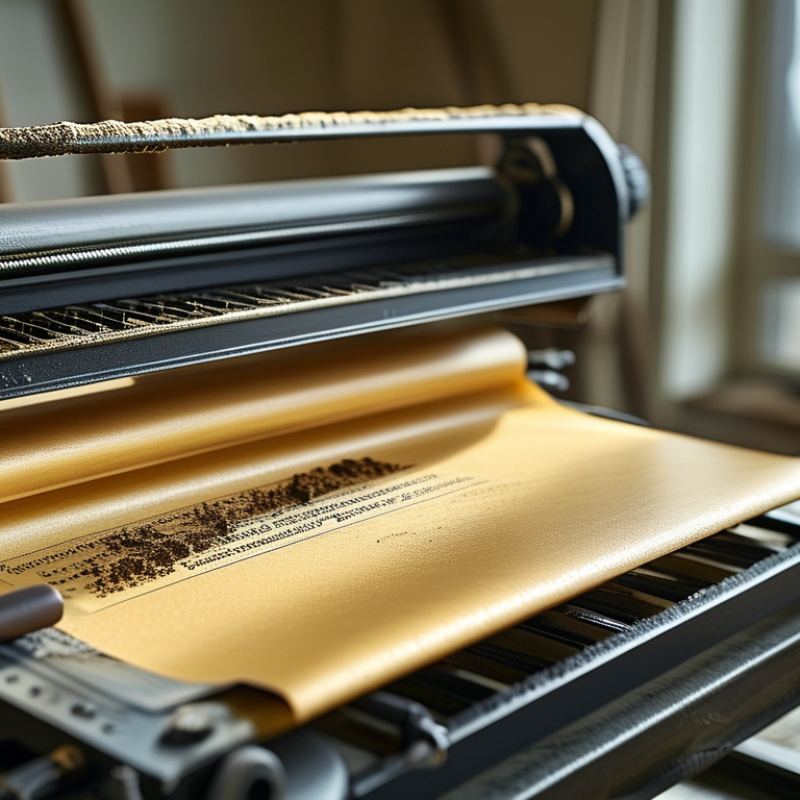
A digital gold foil printer comprises various essential components that work in harmony. Understanding these parts is crucial for effective maintenance. The heating mechanism is one such key element. This component ensures the foil adheres properly to the substrate. It’s important to regularly check its temperature settings. Overheating can cause damage, while underheating results in improper adhesion.
Next, consider the pressure system. This system guarantees the foil applies evenly across the surface. If you notice inconsistencies in prints, the pressure might be the issue. Adjusting the pressure can often rectify this. Routine inspections of this component ensure optimal performance and print quality.
Lastly, the software plays a vital role. It controls the printing process and settings. Familiarity with the software allows you to make adjustments as needed. Occasionally, software updates may be necessary. However, updates can sometimes lead to unforeseen bugs. Testing your printer after any change is wise. Regular checks and adjustments can keep your device running smoothly.
| Tip | Description | Frequency | Importance Level |
|---|---|---|---|
| Regular Cleaning | Clean the printer components regularly to prevent dust and debris buildup. | Weekly | High |
| Software Updates | Keep the printer's software updated for optimal performance and security. | Monthly | High |
| Foil Quality Check | Use high-quality foil to ensure optimal printing results and machine longevity. | Before Each Use | Very High |
| Temperature Settings | Ensure the printer operates within the recommended temperature range. | Daily | Medium |
| Professional Maintenance | Schedule regular professional maintenance for in-depth checks and repairs. | Annually | High |
: Clean the print head after every 100 prints. It helps maintain ink flow.
Use a soft, lint-free cloth. Gently wipe the print head and surrounding areas.
Dirty rollers affect feeding accuracy. Regular cleaning prevents misaligned prints.
Store gold foil between 20-25 degrees Celsius. Keep humidity levels at 40-60%.
Proper storage prevents foil clumping. Check supplies regularly to maintain quality.
Use labeled storage bins. It helps prevent mixing different types of foil.
Improper storage leads to material waste. Analyze your habits for better results.
It reduces downtime and ensures high-quality outputs. Reflect on your cleaning habits.
To effectively understand how to maintain a digital gold foil printer, it is crucial to familiarize yourself with its components, as this knowledge lays the foundation for proper care. Regular cleaning protocols should be established to ensure optimal printer performance, which includes routine checks and maintenance of critical parts to prevent malfunctions.
Additionally, keeping your software updated is essential for enhancing functionality and adapting to newer features. Troubleshooting common issues promptly can save time and resources, allowing for continuous productivity. Lastly, following best practices for storing gold foil and printing supplies will help preserve their quality and ensure consistent printing results. By adhering to these guidelines, you can significantly extend the lifespan and efficiency of your digital gold foil printer.
